 Progress Clock
// progress clock
See time as progress.
Progress Clock is a clock that shows how much of today has already passed — then the week, the month, the year, and a life. Use it as a reminder that the day is still open, not as a countdown to the end.

screens
features
Clock
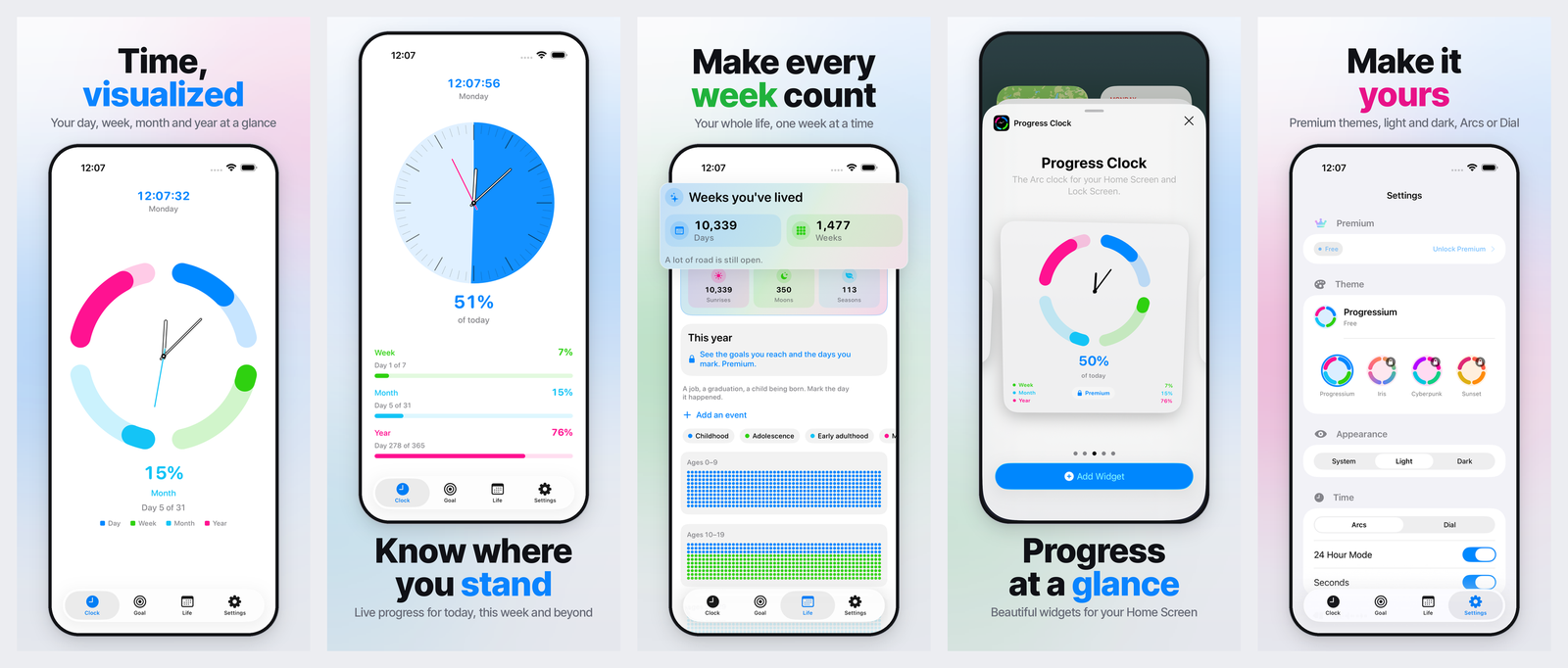
Arcs or a dial for today, with the week, month, and year alongside. Switch in Settings.
Goal
Countdowns, timers, and time since a day that mattered. One goal is included. Premium unlocks more.
Life
Every week as a dot. Set a birthdate and see childhood through later decades on one calendar.
Widgets
Small and medium Home Screen widgets are free. Large, Lock Screen, and Goal widgets are Premium.
Themes
Progressium is free. The other palettes are Premium. Light, dark, and Arcs or Dial are included.
Local
Birthdate, goals, and settings stay on the device. No account. Purchases go through Apple.
premium
Progress Clock Premium is an optional monthly subscription. It unlocks extra goals, Lock Screen and Large widgets, and every theme. The clock and the life calendar work without it. Payment is handled by Apple. Cancel anytime in Settings.
privacy
Birthdate, goals, and preferences stay on the device. There is no account, no analytics, and no advertising. Optional goal alerts use local notifications. Purchases are processed by Apple.